Goobies 2 Controls and Keybinds
Keyboard, mouse, and full controller support mapped for clean Blobverse runs.
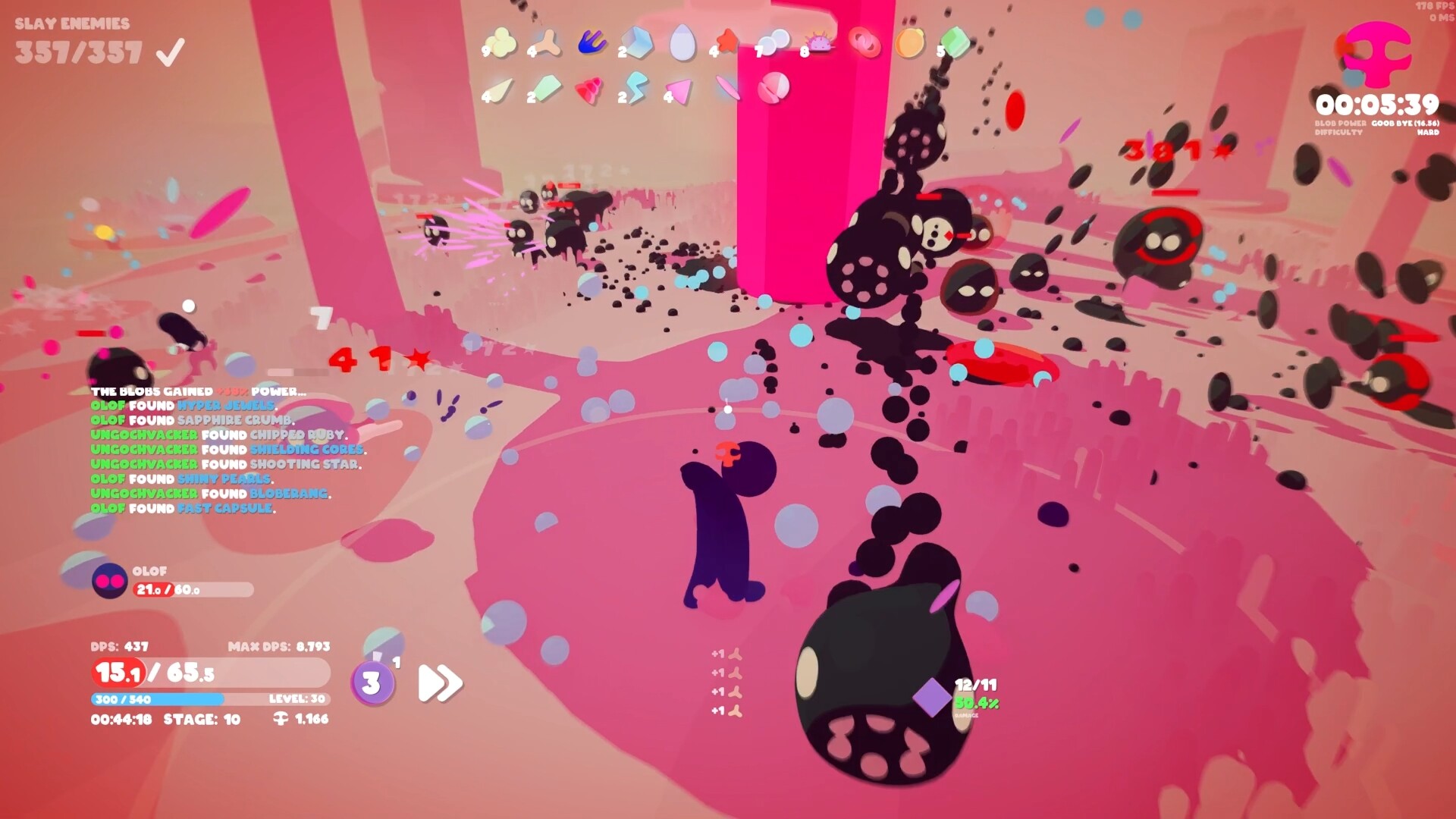
Goobies 2 ships with full controller support alongside mouse and keyboard. Höganäs Spel designed the third-person shooter loop so Xbox and PlayStation pads feel first-class: camera, movement, fire, abilities, pings, and menus all map cleanly. This guide explains how to set up your inputs, what to rebind first, and how targeting changes when you run mutations like Sentient.
If you have not finished a Normal clear yet, skim Getting Started first, then return here to lock muscle memory.
Input devices that work
- Mouse + keyboard — precise aim for sniper-style goobies such as Wiggle Woogle.
- Xbox controllers — native layout with triggers for fire / aim-style actions and face buttons for jump, slam, and abilities.
- PlayStation controllers on PC — fully supported; confirm Steam Input is enabled if a button looks blank on first plug-in.
- Mixed parties in Co-op can combine keyboard hosts with pad clients without special settings.
There is no local split-screen, so each human needs their own online seat—but every seat can use whichever device they prefer.
Core actions you must own
Regardless of device, practice these until they are automatic:
- Move — strafe while shooting; standing still melts you in late Arctic or Desert packs.
- Camera — keep elites and boss weak points framed; third-person means vertical awareness matters on jump-slam goobies like Bingus Bongus.
- Primary fire / attack — your goobie’s basic projectile or hit. Some mutation boards replace free-fire with auto behavior.
- Ability / evolution skill — jump slam, multi-orb burst, or other kit tools. Learn the cooldown rhythm before you greed damage.
- Target ping — critical when Sentient (or similar auto-attack genes) is slotted: you mark enemies so the goobie focuses the right blob instead of wasting shots on trash.
- Interact / pickup — grab XP orbs, omens, and shrine-style objects without stopping in the open.
- Menu / map / score — check omen stacks and mutation state between waves; do not open deep menus mid-boss unless you are safe.
Exact key labels can vary with Steam Input presets—open Options → Controls in-game and photograph your layout if you share tips with friends.
Keyboard and mouse tips
- Raise mouse sensitivity until a 180° turn is comfortable without overshooting boss circles.
- Bind ability to a mouse side button or easy thumb key so jump-slam or burst never steals movement fingers.
- Keep interact close to WASD; omen pickups happen under pressure.
- If you use Sentient, practice ping-then-strafe instead of click-dragging aim all fight.
Sniper-leaning goobies reward flick accuracy. Tank-leaning goobies reward camera foresight so your slam lands inside the pack, not beside it.
Controller tips (Xbox / PlayStation)
- Enable Steam Input if the game does not show glyphs on first connect.
- Lower deadzones slightly if micro-adjusting against flying or hopping blobs feels sticky—but not so low that idle drift appears.
- Use the right stick for constant camera recentering during kite paths; do not only look when you hear a telegraph.
- Map ping to a bumper or easily reached face button when running auto-attack mutations.
- Vibration helps telegraph big hits; turn it down only if it masks audio cues you rely on.
Full controller support means you can clear Impossible without touching the keyboard. Many co-op groups run entirely on pads for couch-adjacent setups even though the session itself is online.
Camera and combat readability
Goobies 2 is busy: goo VFX, omen auras, and swarm density can hide telegraphs. Improve readability by:
- Pulling the camera out if a zoomed-in preset exists.
- Avoiding visual clutter cosmetics during learning runs.
- Strafing in wide arcs so projectiles pass through empty space you can see.
- Calling targets in co-op so three cameras are not all aimed at different elites.
When a wipe says “Killed by XX” in chat, ask whether the camera was behind a wall or buried in particles—not only whether the build was weak. Fix vision before you rebuild the entire mutation board.
Targeting with Sentient and similar mutations
Sentient changes the control fantasy: nearby enemies are attacked automatically, and you ping to prioritize. That means:
- Movement and camera skill matter more than flick shots.
- Wrong pings waste DPS on low-value blobs while elites live.
- Combining Sentient with Splintering creates auto-shrapnel coverage—see Builds and Mutations for stack plans.
If you dislike ping targeting, leave Sentient off and play classic free-aim Dense stacks instead.
Menus, pause, and co-op etiquette
- Pause / menus can desync the feel of a live co-op fight—agree when it is safe to open them.
- Review omen counts between zones, not during Haibel’s dangerous phases. Boss timing lives on Bosses.
- Host should confirm everyone finished rebinding before the run starts so mid-fight “what button is slam?” never happens.
Accessibility and comfort
- Remap anything that hurts your hands; long roguelite sessions punish bad binds.
- Toggle subtitles / UI scale if available so omen names stay readable at a glance.
- Match FPS and V-Sync to your display so camera motion stays predictable for timing dodges.
Practice drill (10 minutes)
- Load a low-pressure run on Normal.
- Strafe figure-eights while holding fire for two minutes.
- Practice ability on cooldown without stopping movement.
- If Sentient is equipped, ping three different elite types in sequence.
- Pick up XP orbs without releasing the move stick.
Repeat until the drill feels boring—then you are ready for real builds and boss arenas.
Related pages
- Getting Started — day-one loop and difficulty unlocks
- Builds and Mutations — how genes change what you press
- Co-op — three-player roles and revive flow
- Players — which goobie matches your preferred input style
- Guides Hub — full tutorial index
Master inputs once; every later guide assumes you can move, ping, and fire without looking at the keyboard.
Frequently Asked Questions
Quick answers for Blobverse runs.
Does Goobies 2 support PlayStation controllers on PC?
Yes. The game advertises full controller support for Xbox and PlayStation pads. Enable Steam Input if glyphs or binds look wrong on first connect.
Is there local split-screen?
No. Co-op is online only for up to three players. Each player uses their own device and online slot.
Why can't I free-aim after equipping Sentient?
Sentient auto-attacks nearby enemies and shifts you toward ping-based targeting. Remove Sentient if you want classic mouse aim, or lean into ping play for auto-shrapnel builds.
What should I rebind first on keyboard?
Put Ability on a comfortable mouse or thumb key, keep Interact near movement keys, and raise look sensitivity until 180° turns feel natural.
Can keyboard and controller players join the same co-op lobby?
Yes. Mixed input parties are fine. Confirm everyone finished their binds before the host starts the run.